What is the bicep heart trend?
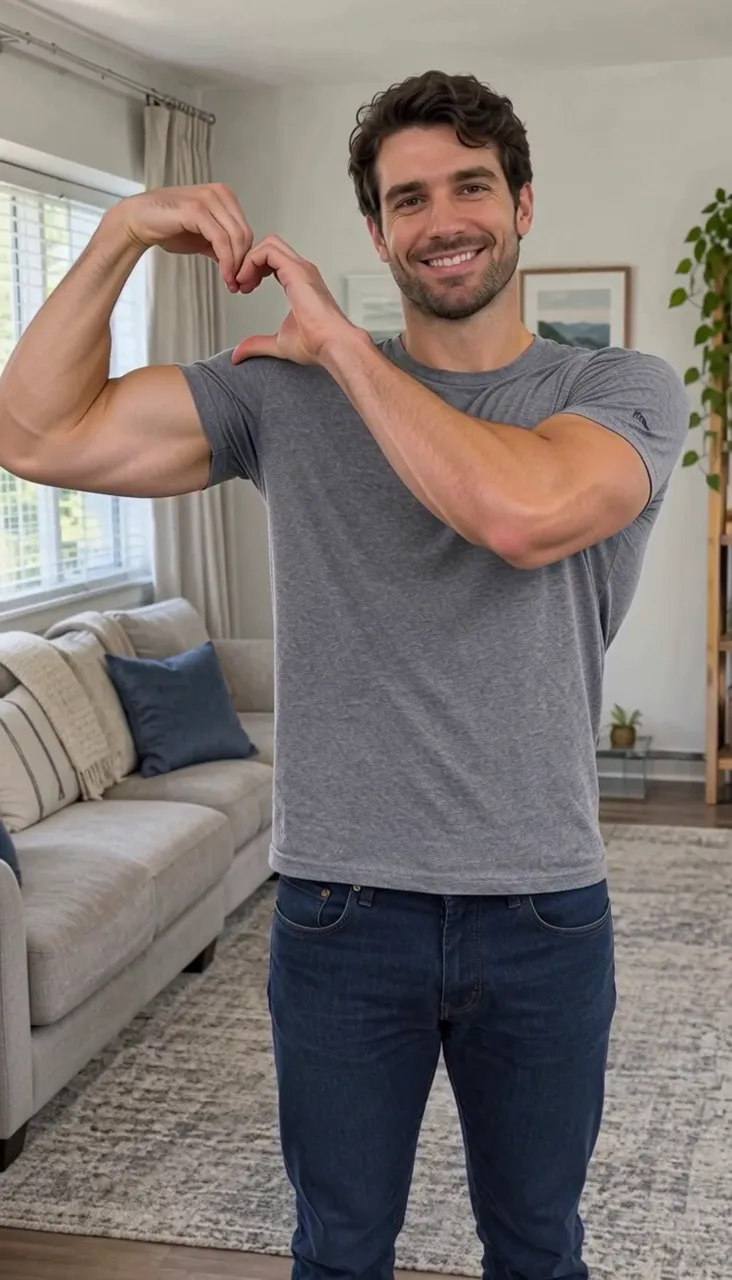
In the bicep heart video you look at the camera, flex one arm, then curl the other hand against the bulging bicep so the two together make a heart. It ends with a smile, as if it was a spontaneous little move. The clip spread on TikTok and Instagram in late 2026 with couples, gym friends and pet owners all doing their version.
What you need to make a bicep heart AI video
- One photo of you (one adult). It does not need to show any pose: a normal, front-facing photo is enough.
- A free BicepHeart.top account.
- That is it. No app, no tripod and no gym.
How to make a bicep heart AI video, step by step
Upload one photo
Open the generator and add a photo of you. The photo is checked right away; if it cannot be used you see why, and nothing is charged.
Generate the video
Press generate. You can leave the page; the video keeps rendering and lands in My videos. We also email you when it is ready.
Download and post
Download the video and post it to TikTok, Reels or Shorts. Add the trend sound in the app if you want it to show up under the trend.
Doing the bicep heart pose yourself
If you would rather film it, set the phone up at chest height and frame yourself from the waist up.
- Look into the camera with a relaxed face.
- Raise one arm and flex it, fist up, so the bicep shows.
- Curl the fingers of the other hand into a half heart and press it against the bicep: the bicep is the other half.
- Hold for a beat and smile.
The AI version saves the retakes and works for people who are camera shy.
Photos that give the best result
- Waist up or more. Both arms need room in the frame, so avoid tight face-only selfies.
- Face the camera. A front-facing photo with the eyes visible keeps the face accurate.
- Good light. Daylight or a bright room beats dark, blurry night shots.
- One subject. One adult per photo. Crop out other people.
- Arms free. Nothing in the hands, and no bag straps or crossed arms hiding the upper arms.
What a bicep heart AI video costs
Videos are paid with credits that you buy once, with no subscription. If a video fails, the credits come back automatically. See the current packs on the pricing page.
Bicep heart video problems and how to fix them
The face does not look like me
Use a sharper, front-facing photo in good light where the face fills more of the frame.
The arms or hands look odd
Pick a photo where both arms are free and visible, ideally waist up, with nothing held in the hands.
The photo was rejected
Use a photo of one adult, clearly visible. Photos of children, pets and cartoon characters cannot be used.
The video failed
The credits are returned automatically. Try again, or with a different photo.
Still stuck? Contact us and we will take a look.
Make your bicep heart video now
Upload one photo of yourself and get your bicep heart video in about 10 seconds.